

Create your first workflow
Describe what you want in plain language and the Kadoa Assistant builds the workflow: it finds the source, proposes a schema, builds and tests the extraction, and shows you a sample to approve. Open the Kadoa Dashboard and click Create your first workflow.Building and previewing is free. You only use quota once you approve and run on the full dataset. See Usage & Billing.
1
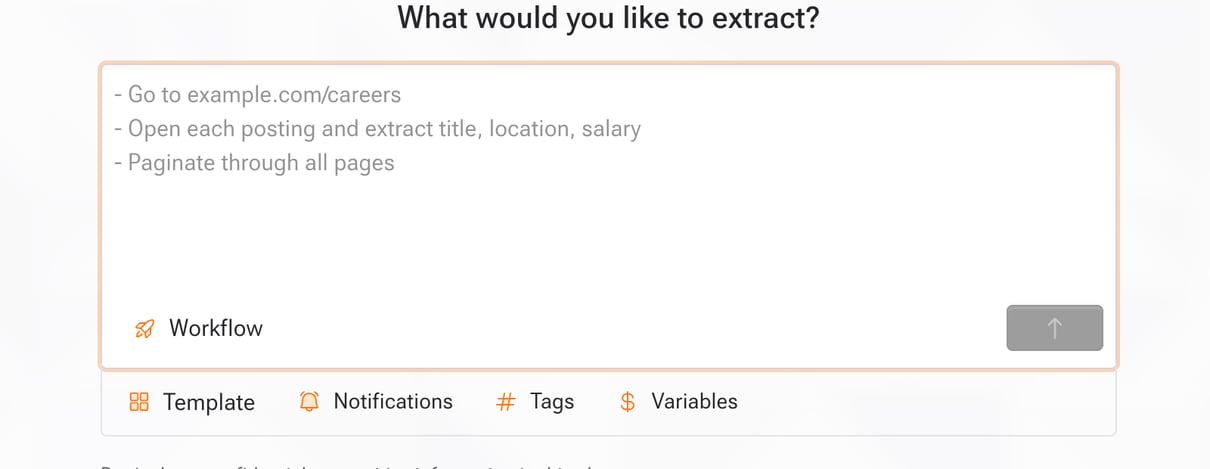
Describe what you want
Describe the task in plain language, for example “Get me all job postings from sandbox.kadoa.com/careers”. Include a source URL when you have one; the Assistant can also help find the source.The setup prompt includes optional controls for:You can also use the prompt shortcuts directly:
- Product type:
- Workflow: Extract a dataset once or on a schedule.
- Real-time: Monitor a website continuously. Select at least one notification channel before you start, unless a selected template provides notifications.
- Templates: Start with a reusable prompt, schema, data quality rules, notifications, or frequency.
- Notifications: Choose existing channels or create one without leaving the prompt.
- Tags: Organize the workflow with workspace tags.
- Variables: Insert reusable values into the prompt.
Real-time monitoring is available on request. Contact support to enable it for your workspace.
@ for notification channels, # for tags, and $ for variables.2
Watch it build
The Assistant confirms the source, writes the extraction code, and runs a preview, narrating each step. The result is a deterministic pipeline: it extracts your data the same way on every run, not a fresh AI guess each time.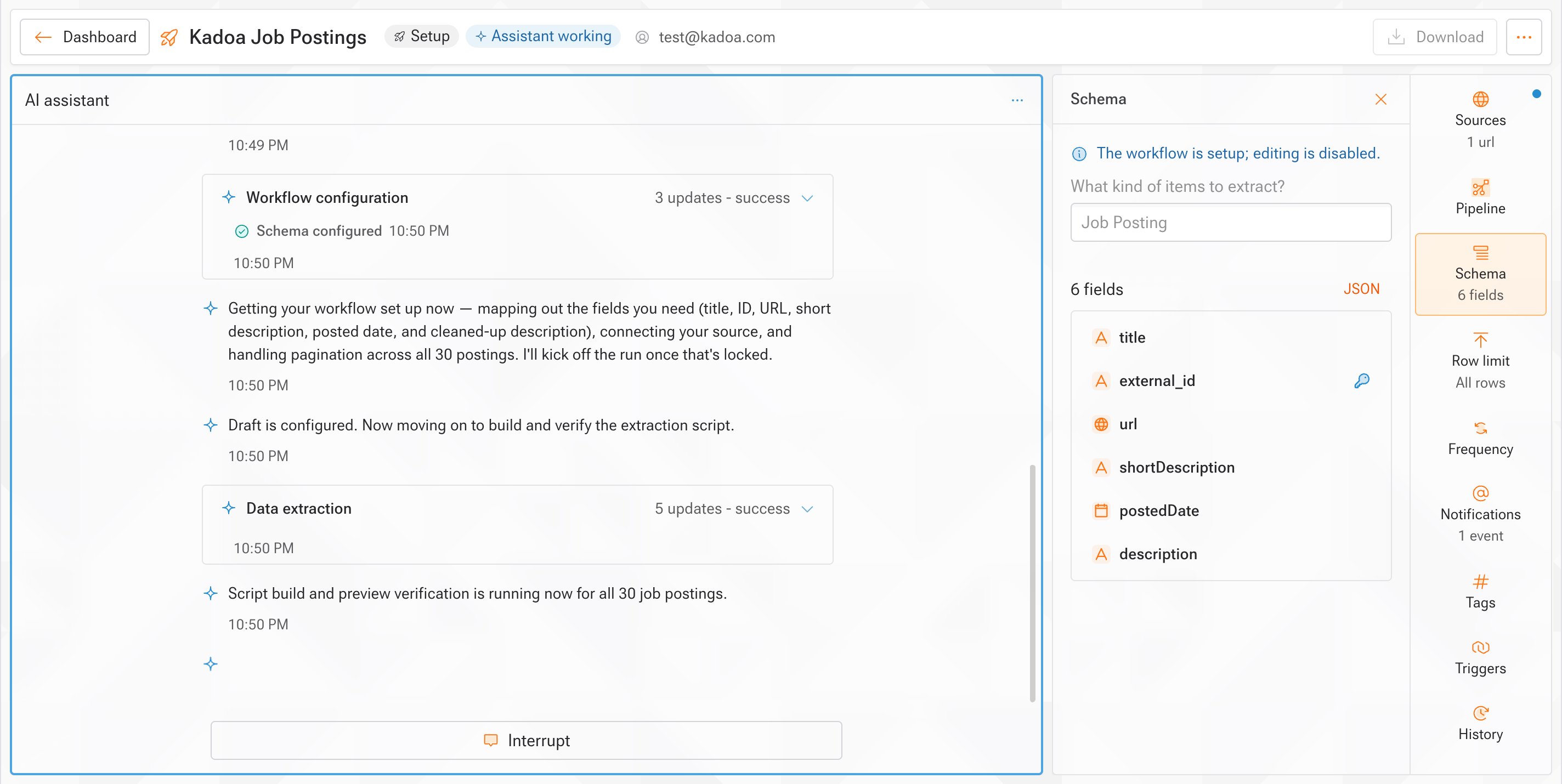
3
Review the sample
Check the preview data. It is free and uses no quota until you approve.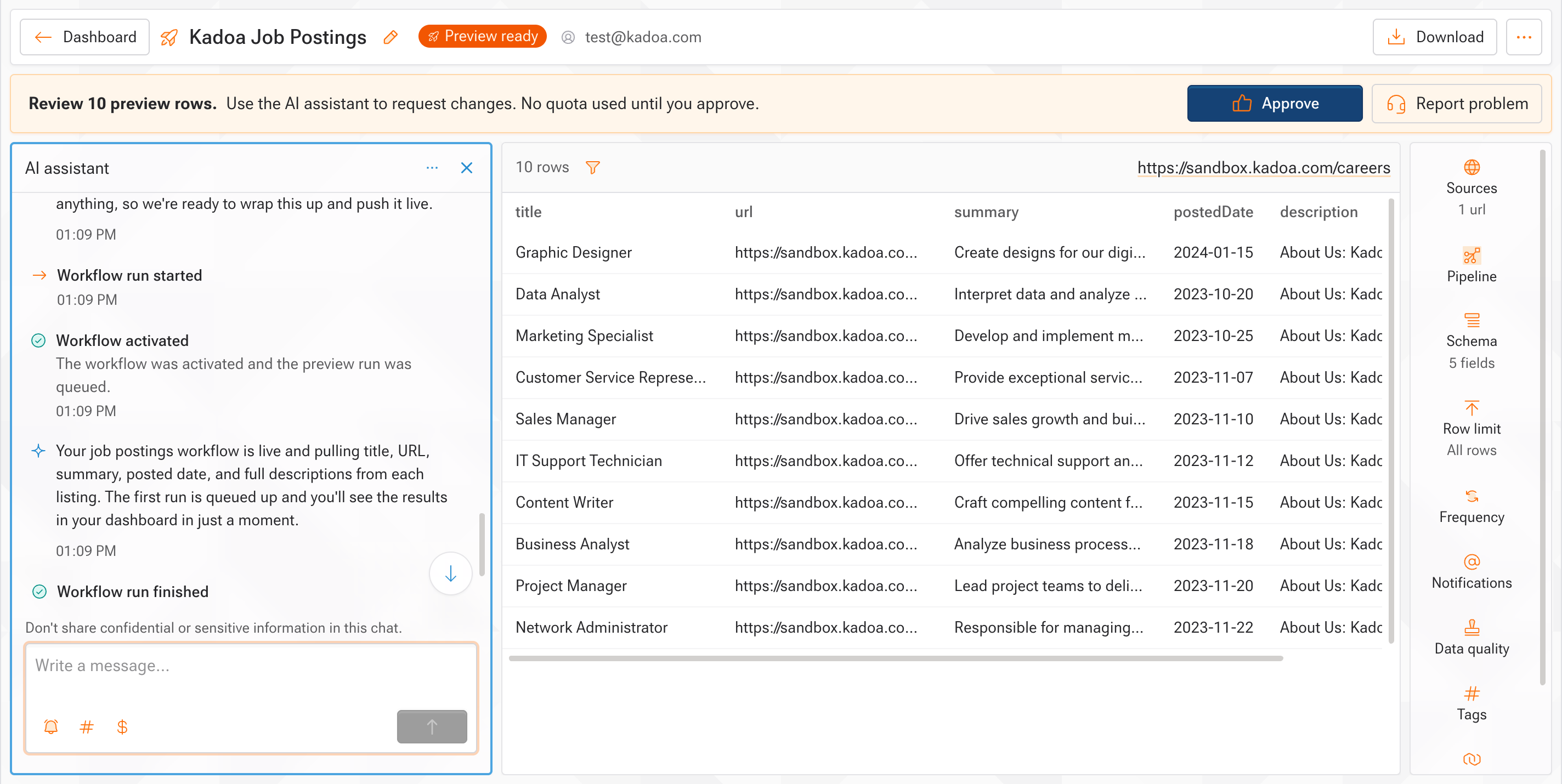
What if it's not right?
What if it's not right?
Tell the Assistant what to fix, for example “add a salary field” or “pull location from the detail page”, and it reruns the preview. Nothing is charged until you approve. For automatic checks on every run, add Data Quality rules.
4
Approve and go live
The workflow produces the full dataset. Add scheduling, change detection, and notifications any time.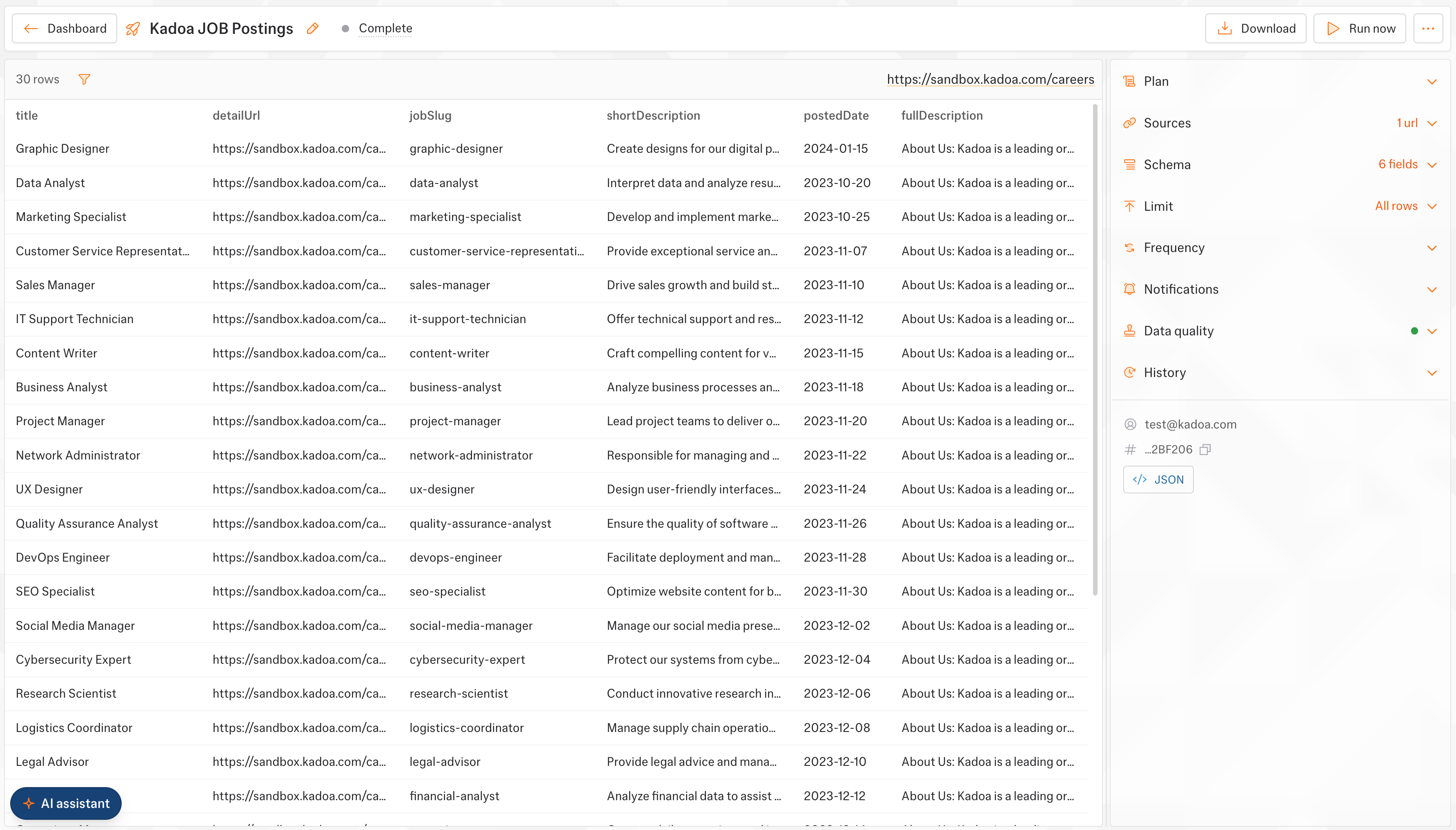
5
Refine anytime
Keep chatting to change fields, navigation, or the schedule, or edit the Sources, Schema, Notifications, and Tags panels directly. Templates keep their managed settings read-only until you update or unlink the template.
Example
Prompt: “Get me all job postings from sandbox.kadoa.com/careers”. The Assistant proposes a five-field schema and returns structured data:Next steps
Sources
Adjust or add the URLs a workflow extracts from
Data Schemas
Customize the fields the Assistant proposed
Data Quality
Validate every run with per-field rules
Human-in-the-Loop
Review and approve data before it goes live