> ## Documentation Index
> Fetch the complete documentation index at: https://docs.kadoa.com/llms.txt
> Use this file to discover all available pages before exploring further.
# Human-in-the-Loop
> How Kadoa's human-in-the-loop system ensures data quality and handles edge cases
Kadoa's human-in-the-loop system combines AI automation with human oversight to ensure high-quality data. The [Kadoa Assistant](/docs/ui/getting-started) builds and tests a deterministic pipeline, then hands you a sample to approve. You stay in control of every step.
## Review State
After the Assistant builds your workflow, it automatically generates a data sample for your review:
1. **Sample data gets generated automatically** → You'll get an email when ready
2. **Review the data** → Check that the fields and values are correct
3. **Refine** → Ask the Assistant in chat to adjust fields, navigation, or the schedule, or edit the schema and prompt directly, then rerun
4. **Approve** → The workflow processes the full dataset
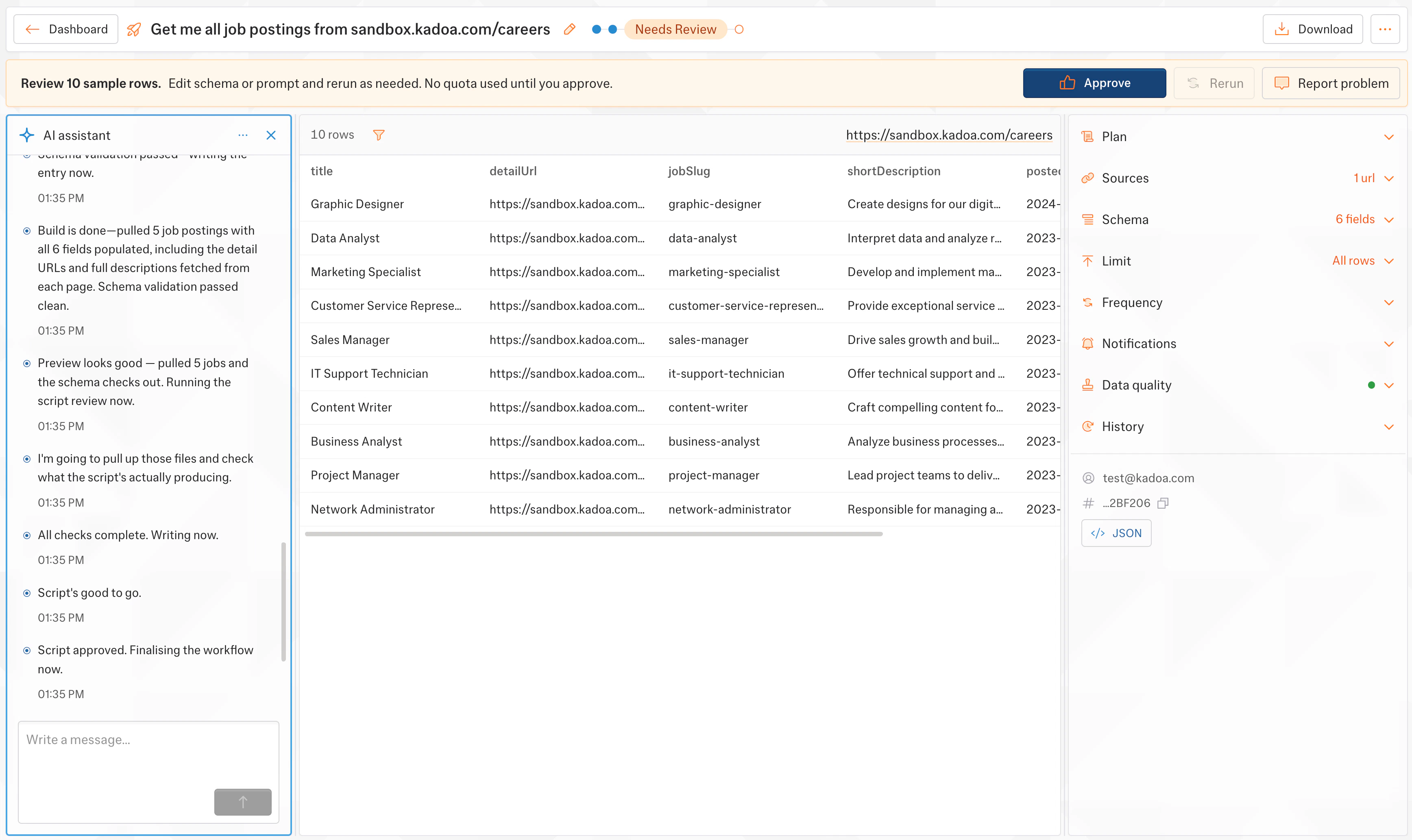 Sample data is free and no quota is used until you approve. Refine and rerun as many times as you need.