> ## Documentation Index
> Fetch the complete documentation index at: https://docs.kadoa.com/llms.txt
> Use this file to discover all available pages before exploring further.

# Email

> Receive email notifications when workflow events occur

## Setup

<CodeGroup>
  ```typescript title="Node SDK" theme={null}
  import { KadoaClient } from "@kadoa/node-sdk";

  const client = new KadoaClient({ apiKey: "YOUR_API_KEY" });

  // Use your account email
  await client.notification.setupForWorkflow({
    workflowId: "YOUR_WORKFLOW_ID",
    events: ["workflow_finished", "workflow_failed"],
    channels: { EMAIL: true },
  });

  // Or specify custom recipients
  await client.notification.setupForWorkflow({
    workflowId: "YOUR_WORKFLOW_ID",
    events: ["workflow_data_change"],
    channels: {
      EMAIL: {
        name: "team-alerts",
        recipients: ["team@company.com", "alerts@company.com"],
      },
    },
  });
  ```

  ```python title="Python SDK" theme={null}
  from kadoa_sdk import KadoaClient, KadoaClientConfig
  from kadoa_sdk.notifications import SetupWorkflowNotificationSettingsRequest

  client = KadoaClient(KadoaClientConfig(api_key="YOUR_API_KEY"))

  # Use your account email
  client.notification.setup_for_workflow(
      SetupWorkflowNotificationSettingsRequest(
          workflow_id="YOUR_WORKFLOW_ID",
          events=["workflow_finished", "workflow_failed"],
          channels={"EMAIL": True},
      )
  )

  # Or specify custom recipients
  client.notification.setup_for_workflow(
      SetupWorkflowNotificationSettingsRequest(
          workflow_id="YOUR_WORKFLOW_ID",
          events=["workflow_data_change"],
          channels={
              "EMAIL": {
                  "name": "team-alerts",
                  "recipients": ["team@company.com", "alerts@company.com"],
              }
          },
      )
  )
  ```
</CodeGroup>

For API configuration, see the [API reference](/api-reference/notifications).

### Dashboard Setup

1. Go to **Notifications** in the sidebar
2. Click **Add Channel** → **Email**
3. Add a single or group of recipient email addresses
4. Save changes
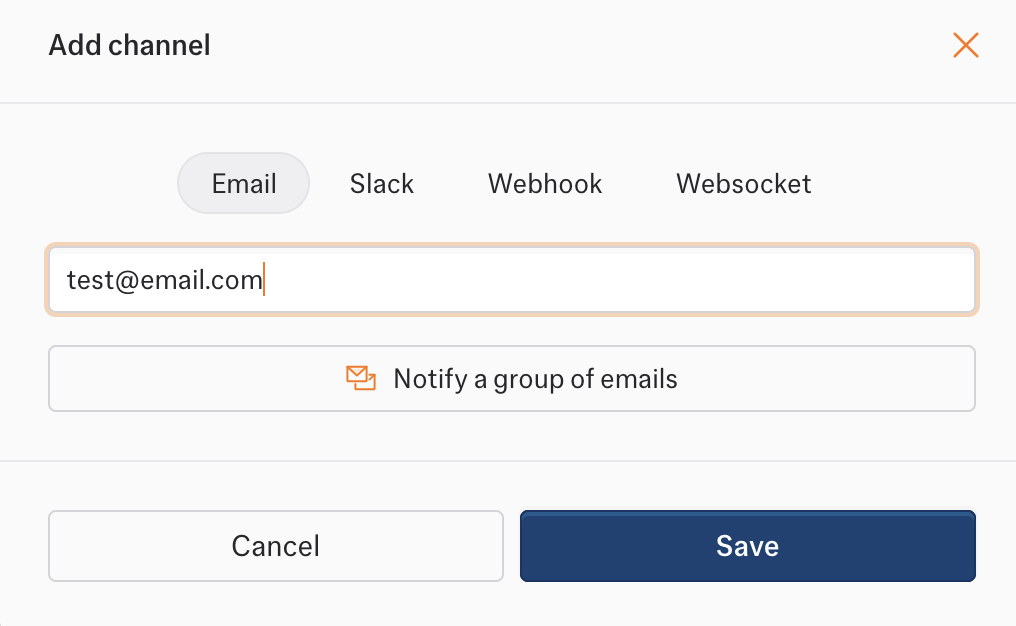
<Tabs>
  <Tab title="Single recipient">
    <img src="https://mintcdn.com/kadoa/oarWYx8cTCu-JBDx/images/notifications/emails/emails-ui.png?fit=max&auto=format&n=oarWYx8cTCu-JBDx&q=85&s=f6aac6f882caa4a09473c7ab2b0ce52e" alt="Email Channel UI" width="1016" height="626" data-path="images/notifications/emails/emails-ui.png" />
  </Tab>

  <Tab title="Group of recipients">
    <img src="https://mintcdn.com/kadoa/oarWYx8cTCu-JBDx/images/notifications/emails/emails-ui-group.png?fit=max&auto=format&n=oarWYx8cTCu-JBDx&q=85&s=8d8374585dcf534830cb086606c006f4" alt="Email Channel Group UI" width="998" height="872" data-path="images/notifications/emails/emails-ui-group.png" />
  </Tab>
</Tabs>

## Email Templates

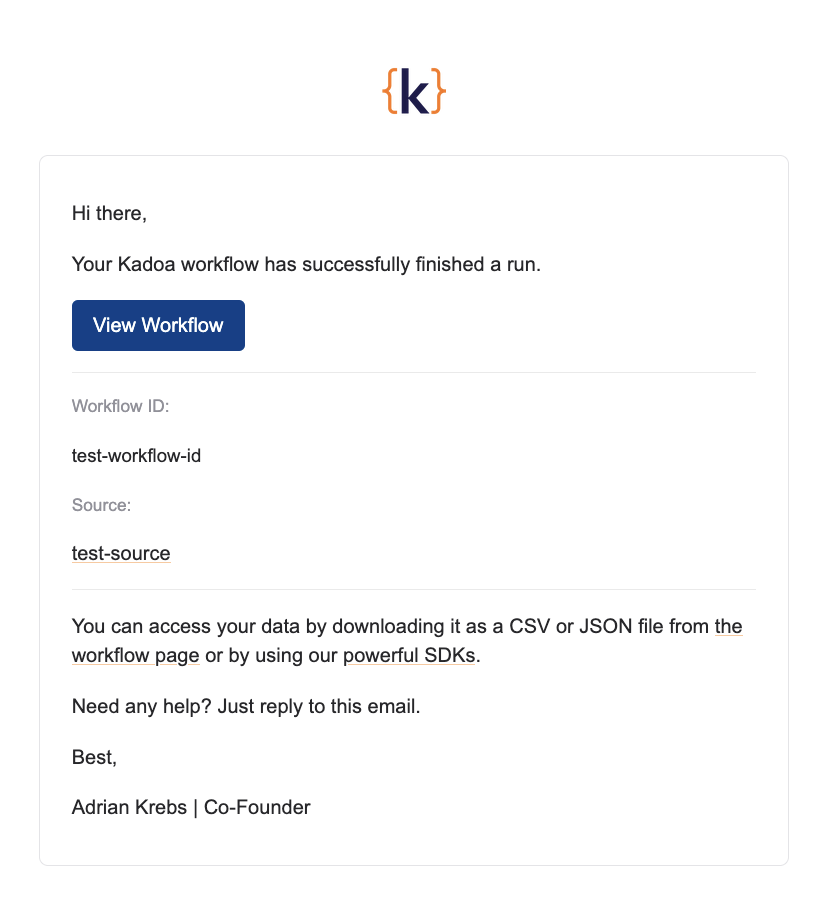
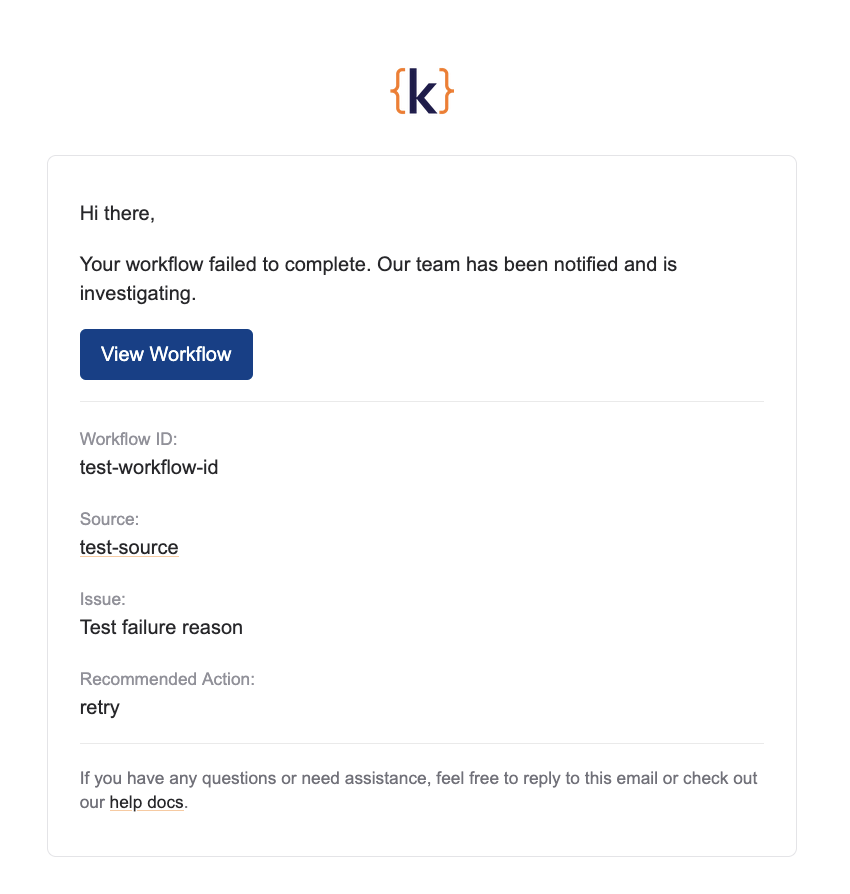
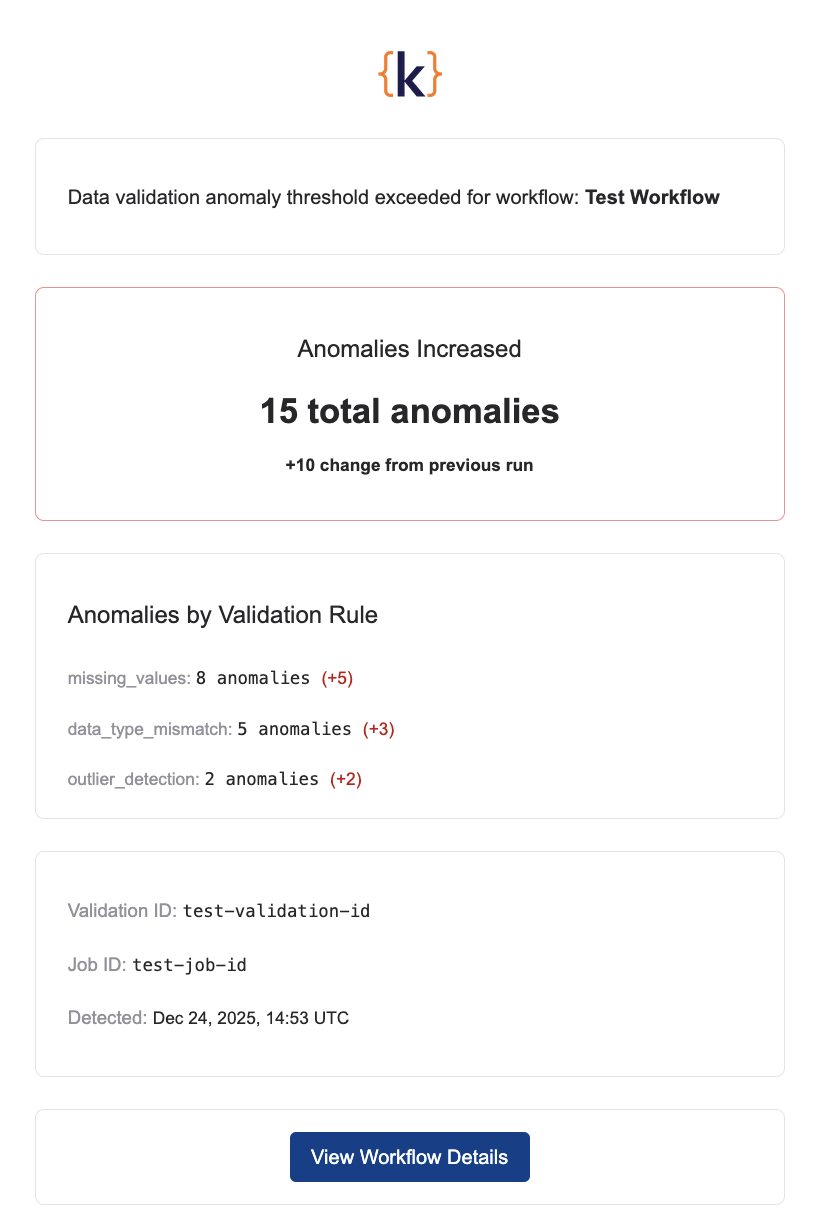
Each event type has a dedicated email template with relevant information.

<Tabs>
  <Tab title="workflow_data_change">
    <img src="https://mintcdn.com/kadoa/1cTG0ib2mHai2xbs/images/notifications/emails/emails-data-change.png?fit=max&auto=format&n=1cTG0ib2mHai2xbs&q=85&s=1e3d0bbd7b3f4814447b3fa625ab5d09" alt="Data change email" width="896" height="1138" data-path="images/notifications/emails/emails-data-change.png" />
  </Tab>

  <Tab title="workflow_finished">
    <img src="https://mintcdn.com/kadoa/1cTG0ib2mHai2xbs/images/notifications/emails/emails-finished.png?fit=max&auto=format&n=1cTG0ib2mHai2xbs&q=85&s=75e6e37dd7f7507854f24dfe2ee2f264" alt="Workflow finished email" width="836" height="912" data-path="images/notifications/emails/emails-finished.png" />
  </Tab>

  <Tab title="workflow_failed">
    <img src="https://mintcdn.com/kadoa/1cTG0ib2mHai2xbs/images/notifications/emails/emails-failed.png?fit=max&auto=format&n=1cTG0ib2mHai2xbs&q=85&s=9a1415d20117ae683bf181009df83798" alt="Workflow failed email" width="850" height="894" data-path="images/notifications/emails/emails-failed.png" />
  </Tab>

  <Tab title="workflow_validation_anomaly_change">
    <img src="https://mintcdn.com/kadoa/1cTG0ib2mHai2xbs/images/notifications/emails/emails-data-quality.png?fit=max&auto=format&n=1cTG0ib2mHai2xbs&q=85&s=46ba8a4bf4022de9592050706a356442" alt="Validation anomaly email" width="816" height="1232" data-path="images/notifications/emails/emails-data-quality.png" />
  </Tab>
</Tabs>

## System Emails

These emails are sent automatically and cannot be configured.

<Tabs>
  <Tab title="workflow_sample_finished">
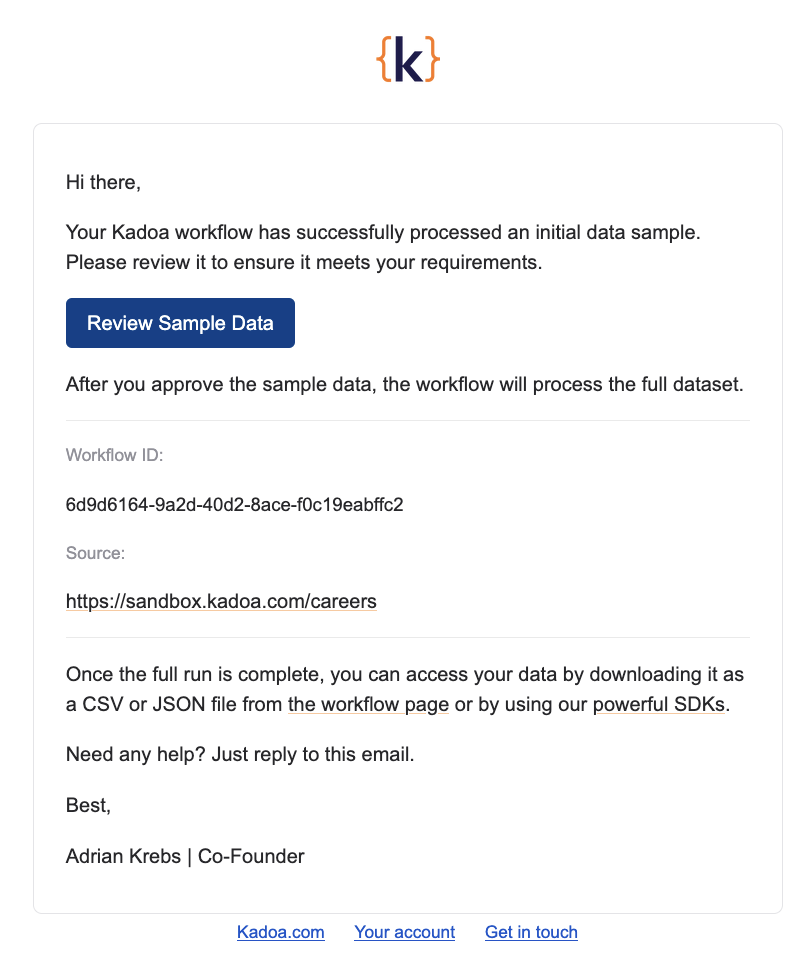
    Sent to the workflow author when sample data is ready for review.
    <img src="https://mintcdn.com/kadoa/1cTG0ib2mHai2xbs/images/notifications/emails/emails-sample-finished.png?fit=max&auto=format&n=1cTG0ib2mHai2xbs&q=85&s=64a7c6a2b11089add1b9337c22703cef" alt="Sample ready email" width="808" height="970" data-path="images/notifications/emails/emails-sample-finished.png" />
  </Tab>
</Tabs>